Play a record on the speakers
Step 1 of 3
Start the record like usual
Record on, press START/STOP, then lower the needle with the lift lever.
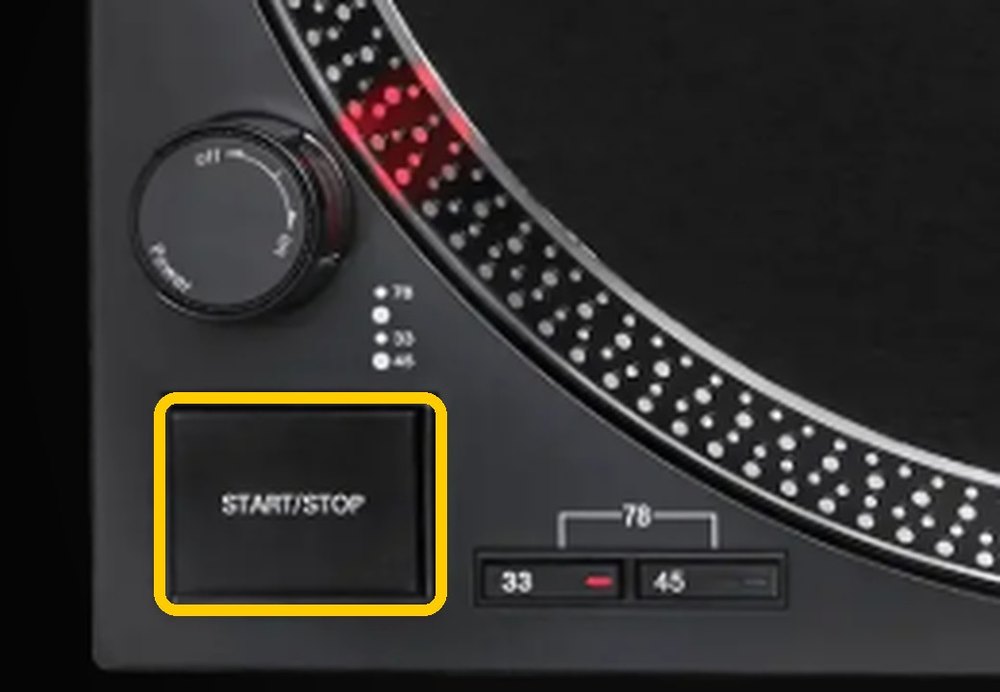
Is the record spinning with the needle down?
Step 2 of 3
On the iPad, open Sonos and tap Line-in
It's on the first screen, under Your Sources.
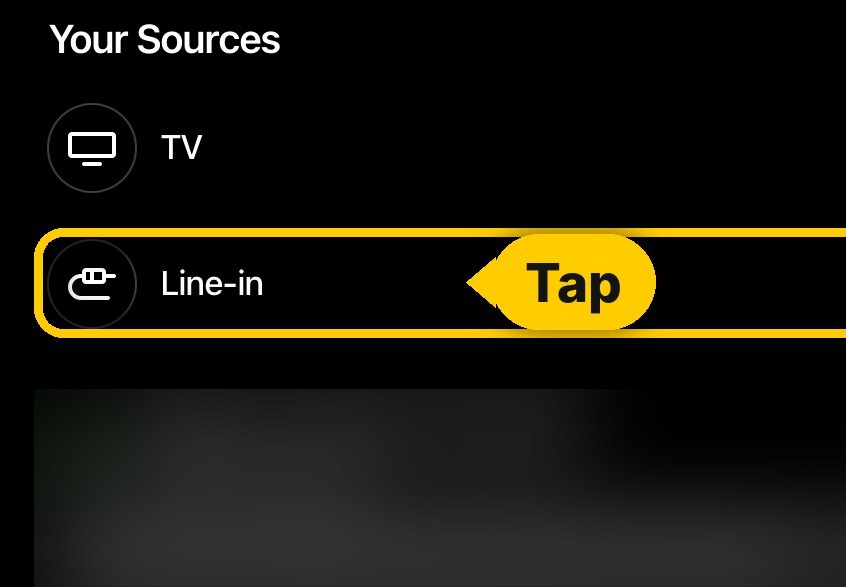
Did you tap Line-in?
← Back a stepStep 3 of 3
Slide for volume control
The bar at the bottom of the Sonos app. Slide right for louder.
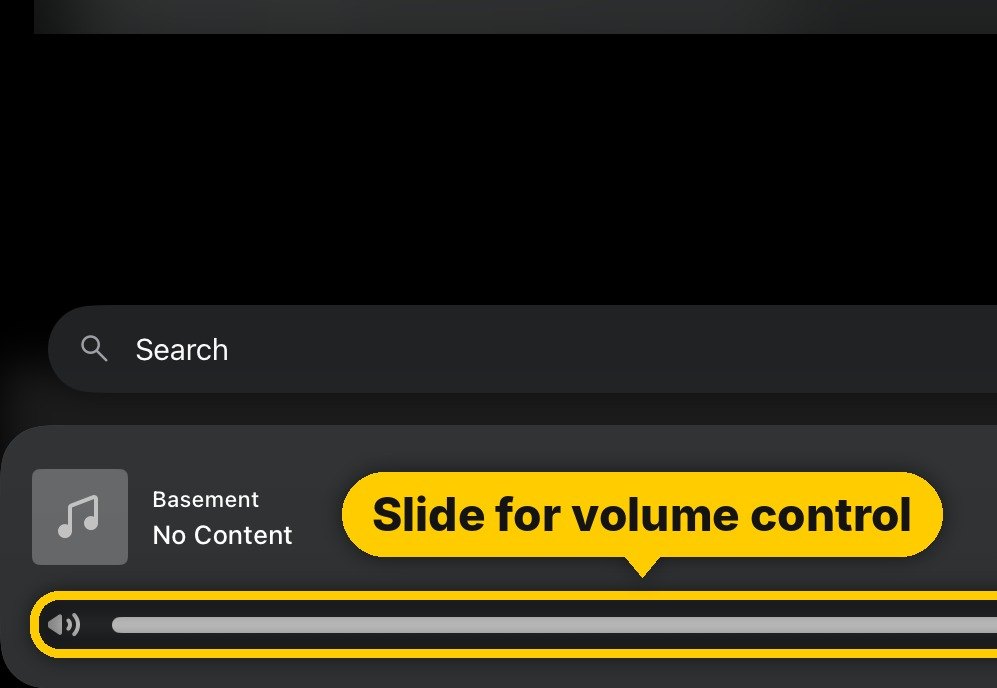
Can you hear the record?
← Back a stepEnjoy the music!
When you're finished, lift the needle, press START/STOP, and turn the knob to OFF.